 Owline
How text message opt-in works
The short version
Owline builds and manages websites. Text messages are an optional way for a site owner to get notified — for example, when a change they asked for is ready to review. Nobody is ever asked for a phone number, and nobody is ever texted, until they go into their account settings and turn it on themselves. It is never part of creating an account, never required to use the service, and never bundled with anything else.
Step 1 — Creating an account asks for no phone number
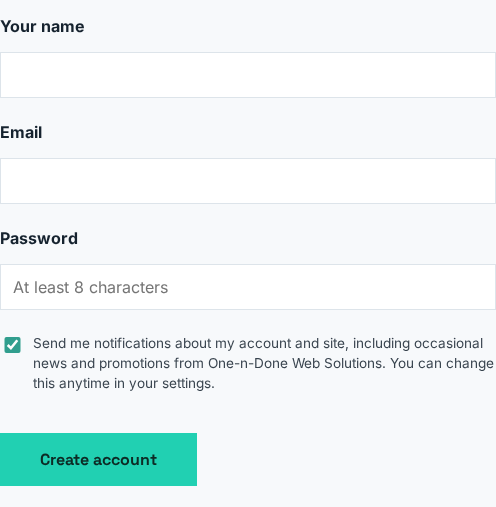
The sign-up form collects a name, email, and password. There is no phone field and no mention of text messages anywhere in it — texting isn't offered, and it isn't possible to opt in here even by accident.
Step 2 — Texting is off, by default, for everyone
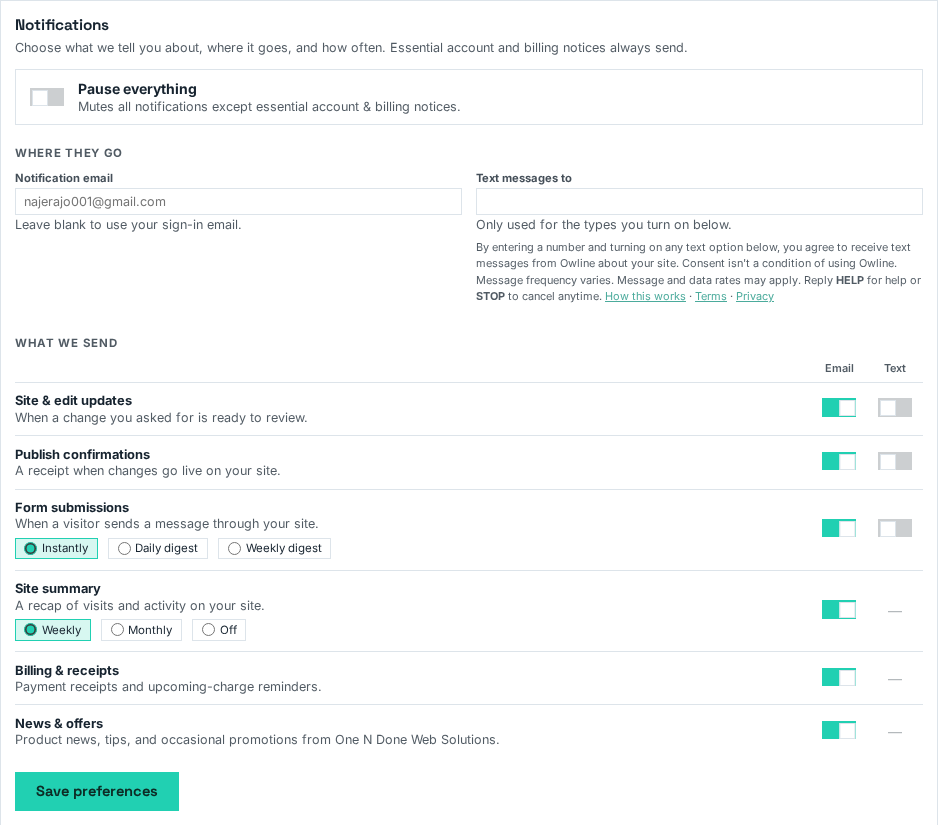
After creating an account and signing in, a customer can visit Account → Notifications any time they choose — nothing prompts them there, and nothing in the product requires that they ever visit this page. Every text-message option starts switched off. The phone number field is empty until the customer types one in themselves.
Step 3 — Opting in is a deliberate, specific choice
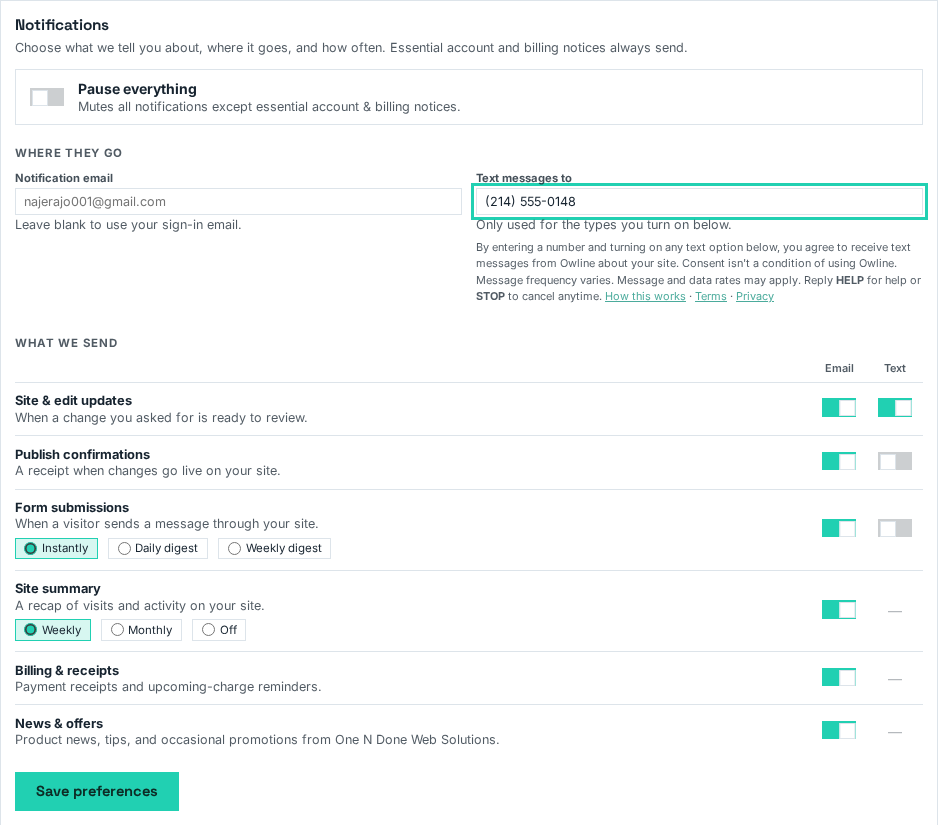
To receive any text message, a customer must type their own phone number and switch on each specific kind of message they want by text — site-update alerts, publish confirmations, and so on are each their own switch. Turning on texts for one kind of update doesn't turn on any other. Saving this form is the only way a phone number is ever texted, and it's a separate act from anything else in the product.
Right at that point — before any number is even entered — the page states plainly what agreeing means: consent isn't a condition of using Owline, message frequency varies, message and data rates may apply, and HELP/STOP work at any time. Links to this page, the Terms, and the Privacy Policy sit right there too.
What a customer receives
Only the message types a customer has switched on, addressed to the number they provided. A typical message:
Hi! This is Owline. The change you asked for on your site is ready to review: https://myowline.com/r/8f2k1 — Reply STOP to stop texts, HELP for help.
Message frequency depends entirely on how often that customer's chosen event happens — someone who only enables "publish confirmations" is texted only when they publish. Message and data rates may apply.
Opting out
Reply STOP to any message to stop texts immediately — Owline confirms with one final text and sends no more. A customer can also return to Notification Settings and switch texts back off (or on again) at any time. Opting out of texts never affects email notifications, the account, or the website itself.
What this is never bundled with
- Creating an Owline account — no phone number is collected at signup.
- Publishing or managing a website — every part of the product works with texts left off.
- Any paid plan or billing action.
- Any other consent or agreement — text opt-in is its own checkbox for its own purpose, chosen separately from email preferences and from the Terms of Service.